E2: Image segmentation workflow#
Preparation#
Open the same file as in E1 in Fiji.
Questions#
Segment the nuclei by thresholding the image. Is there a clear separation between foreground and background? Hint: Split the channels before thresholding. Also, it’s convenient to Duplicate a channel before thresholding, so that you can easily go back to the original image if needed.
Use an automatic method to find a threshold. Which one works best?
Try to improve the segmentation result by applying a filter before thresholding. Can you find a filter that works well?
From the binary mask of the segmented nuclei, extract a mask that only represents an outer ring of each nucleus (i.e. the nuclear envelope). Hint: Use “Process” -> “Binary” -> “Erode” to shrink the objects, then subtract the shrunken objects from the original mask using “Process” -> “Image Calculator…”.
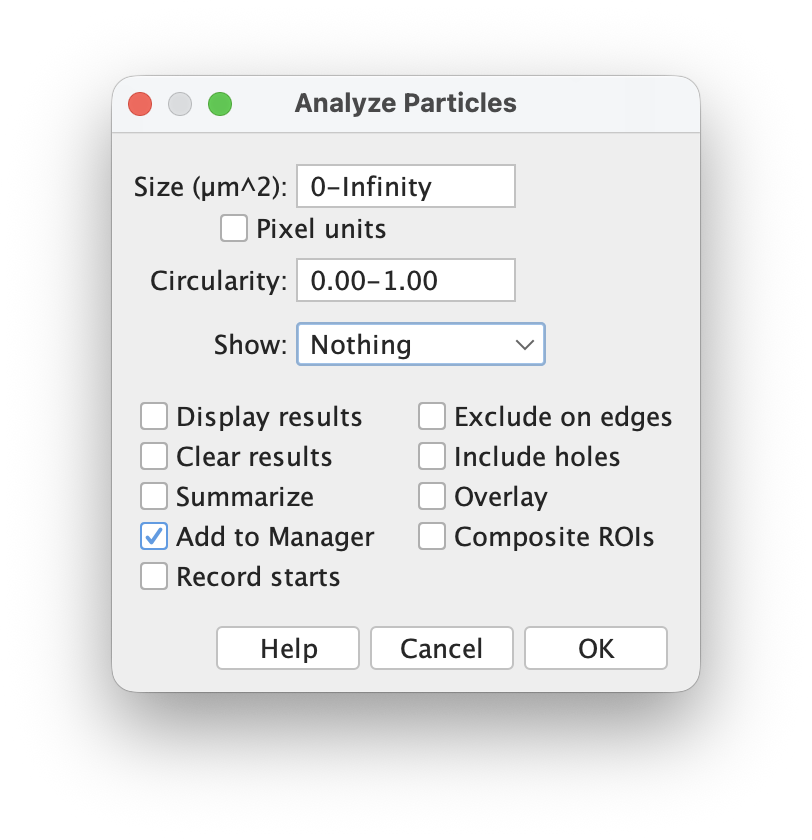
Extract the mean fluorescence intensity of the green channel for each ring. Hint: To convert objects in the binary image to Regions of Interest (ROIs) which can be used to measure the intensity in any open image, use “Analyze” -> “Analyze Particles…” and check the option “Add to Manager”. Then, in the ROI Manager, select all ROIs and click “Measure” to get the measurements for the currently selected image.
Get a summary of the measurements for all ROIs. Hint: In the “Results” window, click “Summarize” to get a summary of the measurements for all ROIs.